
Is It the Thermostat or the AC?
When your house is getting hot and the AC won't kick on, the thermostat is the first place you should look. I would much rather you spend five dollars on batteries than pay me an $89 diagnostic fee just to change them for you.
Before you call me out to the house, run through this quick mechanic's checklist to see if you can get the system running yourself.
1. Identify Your Thermostat Power First, figure out how your thermostat gets its power.
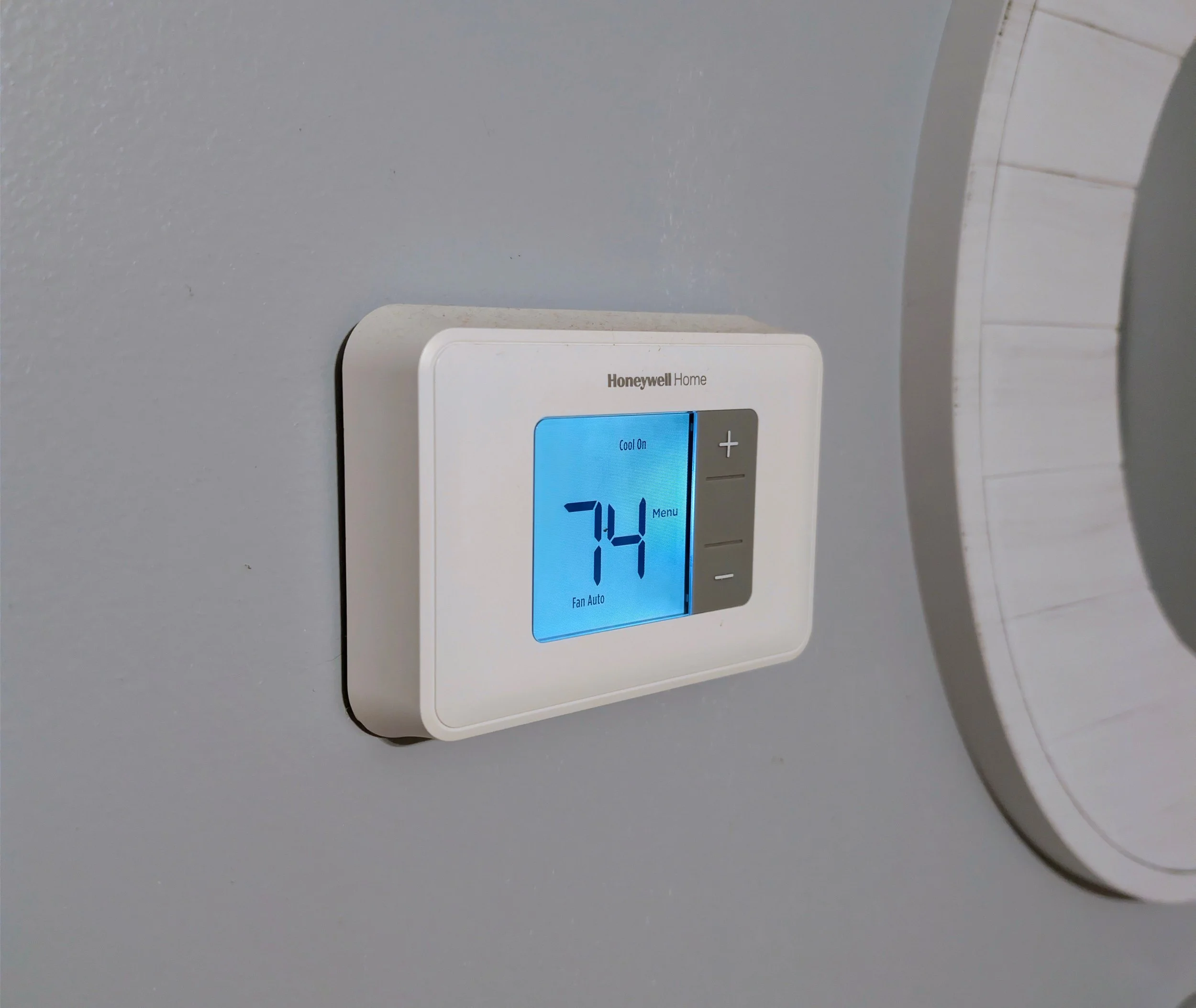
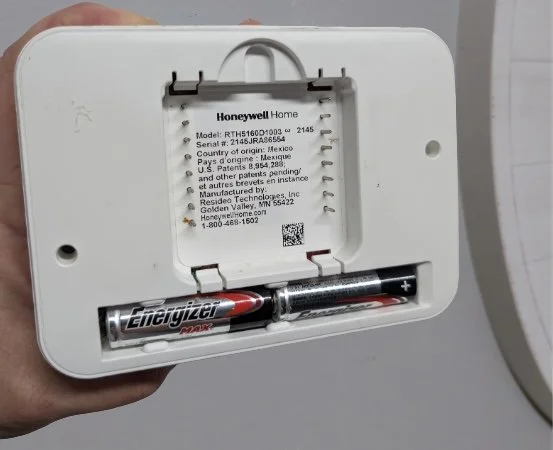
Battery Powered: Pull the faceplate off the wall. If you see AA or AAA batteries, swap them out with fresh ones. A dying battery will often cause the thermostat to act crazy or go completely blank.
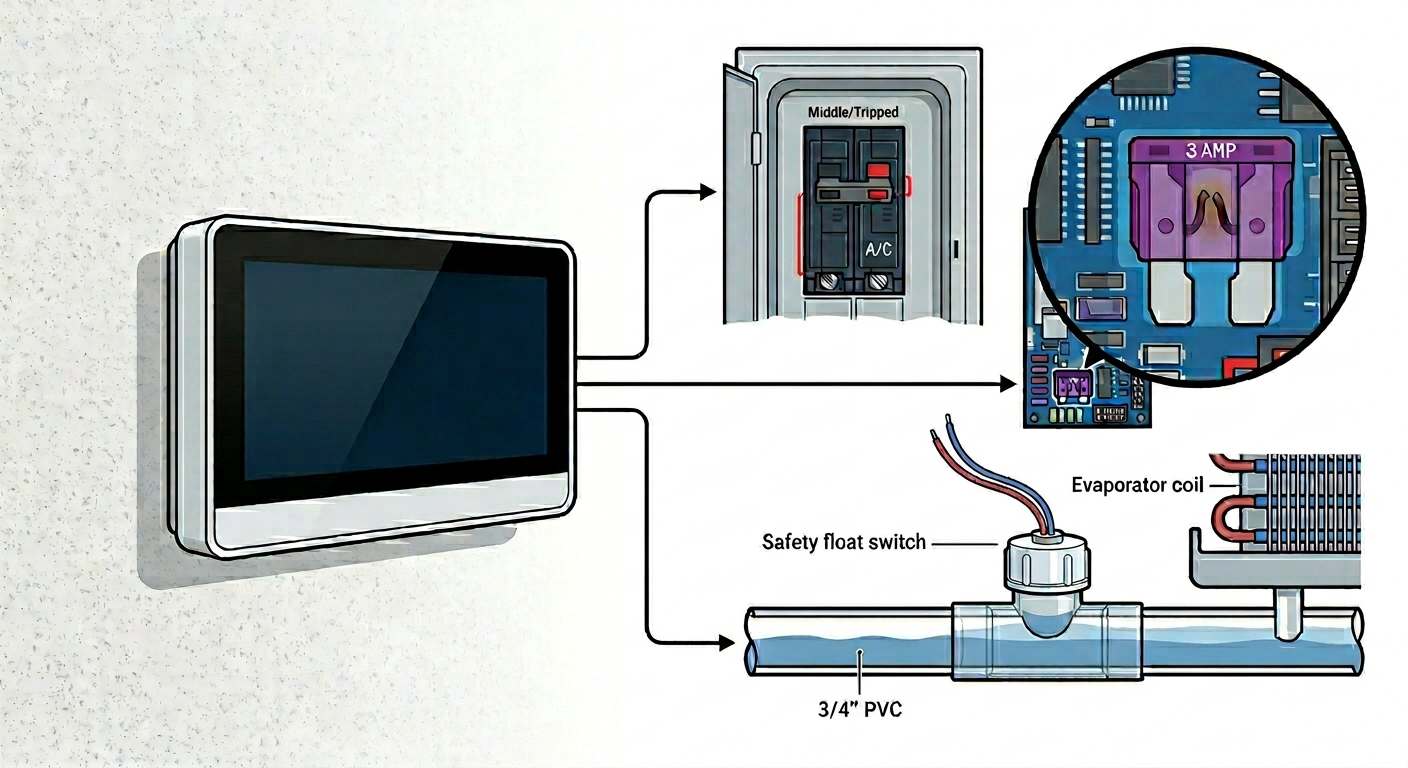
Hardwired (24v): If there are no batteries, your thermostat pulls power directly from the indoor unit. If a hardwired screen goes blank, it usually means a breaker tripped, a fuse blew, or the drain line is clogged and the safety switch shut the system down.
2. The "Click" Test Turn the system to COOL and drop the temperature down a few degrees. Listen closely to the thermostat. You should hear a faint "click." That click is the thermostat sending the signal to the outdoor unit.
If it clicks but the outdoor unit never turns on, your thermostat is doing its job, but you likely have a bad capacitor or a failed component outside.
3. Check the Breakers and Switches If your screen is totally blank and batteries didn't fix it, go to your main electrical panel. Look for the breakers labeled "AC" or "Air Handler" and make sure they haven't tripped. Also, check the indoor unit (usually in the closet, garage, or attic). Make sure the power switch next to it (which looks like a regular light switch) didn't accidentally get bumped to the OFF position.
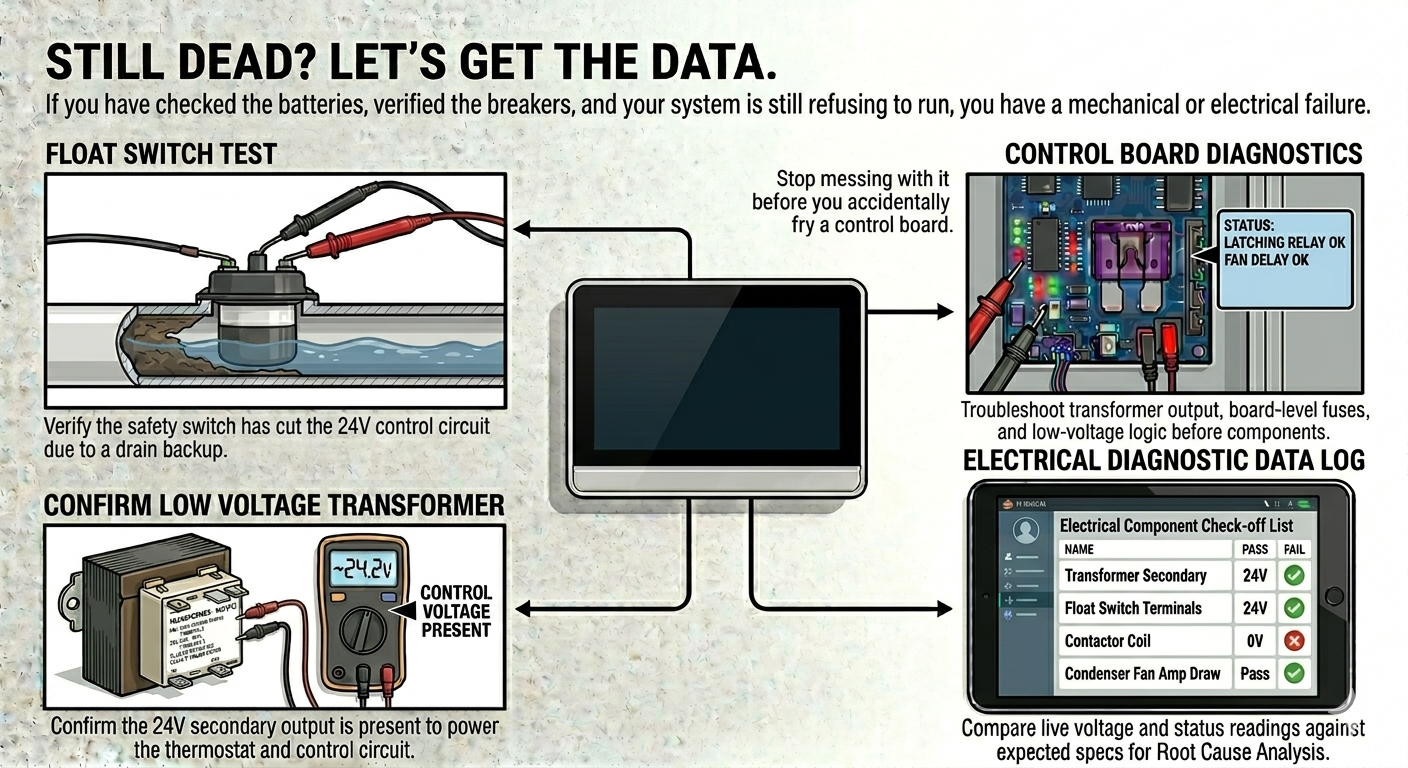
STILL DEAD? LET'S GET THE DATA. If you have checked the batteries, verified the breakers, and your system is still refusing to run, you have a mechanical or electrical failure. Stop messing with it before you accidentally fry a control board. Let's get the digital gauges on it and find the real problem.